
CapCut: free video editing on desktop, web and phone, with an optional Pro plan
ByteDance's video and photo editor: free desktop and online versions, templates, automatic captions and background removal, plus a paid Pro upgrade.


Shopping at CapCut? See all current CapCut discount codes and deals, checked regularly.
CapCut is a video and photo editor from ByteDance, the company behind TikTok. It started as a phone app and now also comes as a free desktop program for Windows and Mac and an editor that runs in your web browser. It's built for short, shareable videos: holiday clips, family montages, school projects, small-business promos and anything you want to post on social media.
The big draw is how much you can do without paying. You can cut, trim and split clips, add transitions and music, start from a ready-made template, and use tools such as automatic captions and background removal. CapCut Pro is there if you want premium features and templates and extra cloud storage, but plenty of people never need it.
What's worth a look
Six free CapCut tools and pages that show what it can do.
 CapCut DesktopFree video editor for Windows and Mac.FreeView at CapCut
 Free Online Video EditorEdit in your browser with no download.FreeView at CapCut
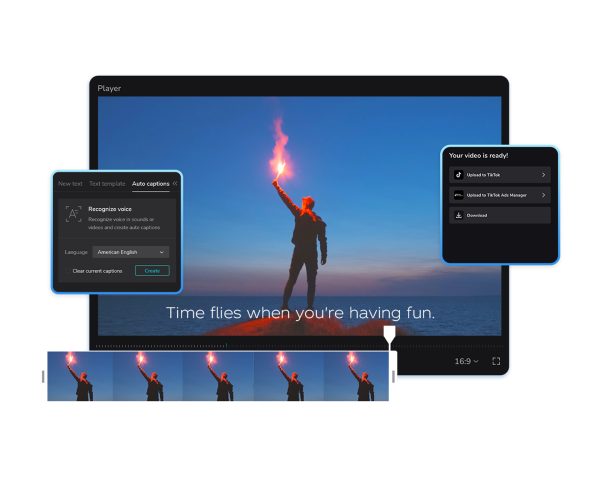 Auto Caption GeneratorAutomatic subtitles you can restyle and translate.FreeView at CapCut
 Image Background RemoverCut out backgrounds from photos in one click.FreeView at CapCut
 Auto ReframeResize videos for TikTok, Reels or YouTube.FreeView at CapCut
 CapCut TemplatesReady-made templates for social and celebrations.FreeView at CapCut
If you edit on a computer, start with CapCut Desktop, which you download for free and which handles longer projects comfortably. On a shared or work machine where you can't install software, the online video editor runs in the browser and the site says you don't need a credit card to try it.
Two tools save the most time. The auto caption generator listens to your video and writes subtitles for you, which you can then restyle or translate. Auto reframe resizes a video for different platforms, so a landscape clip can become a vertical one for Reels or TikTok without you repositioning everything by hand. The background remover works on photos as well as video, which is handy for product shots or profile pictures, and the template library is sorted by occasion, from birthdays to business promos.
Current offers
We don't have any CapCut codes yet. The editor itself is free to use online and on desktop. CapCut doesn't list fixed Pro prices on its website: its help centre says the price depends on your region, device and current promotions, and you'll see it when you open the subscription page in your account. Until 9 October 2026 the help centre is also promoting 90% off the first month of a membership for Dreamina, ByteDance's separate AI image and video tool.
How to save more
- Try everything free first. Templates, auto captions, background removal and the online photo editor all have free options, so only upgrade if you hit a feature you can't do without.
- Compare the Pro price on more than one device before subscribing, as CapCut says it can differ by platform. If you buy through the iPhone app, refunds are handled by Apple.
- Pro renews automatically, so cancel at least 24 hours before the renewal date if you only needed it for one project.
Products, prices and offers checked on the store's own website on 8 Oct 2026. Prices and stock can change.
Ad: affiliate links. If you buy through links in this article we may earn a commission, at no cost to you. CapCut didn't pay for this article or check it before we published it. How we make money.
CapCut codes & deals today
30% off CapCut Pro
30% discount Applies to both monthly and yearly plans
Free online video editor, no credit card needed
Free version of CapCut online and desktop; Pro features cost extra.
Subscribe now and get 7 days of free Pro
Keep reading


iolo: System Mechanic PC clean-up software and add-on privacy tools
The makers of System Mechanic, a Windows clean-up and maintenance suite, plus a VPN, a password manager and privacy tools, with up to $17 off right now.
Voucher Magpie team

Turbo VPN: a free VPN app with Gold and Platinum plans for every device
A VPN app for Windows, Mac, phones and Chrome with a free tier, a 2-year Gold plan at 72% off with 3 bonus months, and a 30-day money-back guarantee.
Voucher Magpie team

Sitpack: pocket-sized stools and fold-down camping chairs from Denmark
Tiny portable seats for queues, festivals and campsites, plus tables, blankets and a lantern, with UK prices in pounds and DHL delivery.
Voucher Magpie team