FREEplan
Deal
Free DocHub plan to edit and sign PDFs
Free plan for individuals with no time limit; paid plans add more advanced tools.

You haven't picked a charity yet. Pick one and 50% of our commission goes to them.
Free plan for individuals with no time limit; paid plans add more advanced tools.
Annual billing on Basic and Pro plans costs 25% less than paying monthly.
Free trial of the Pro plan's advanced features; it moves to a paid plan unless cancelled. Fees are non-refundable under DocHub's terms.
Every DocHub code here comes from DocHub itself or its official affiliate programme, never copied from another voucher site, and we use AI to validate that codes actually work. When you shop through our links, DocHub may pay us a commission. It never changes your price. We give 50% of that commission to a charity you choose, at no extra cost to you.
| Offer | Saving | Ends |
|---|---|---|
| Free DocHub plan to edit and sign PDFs Deal | FREE | Ongoing |
| Save 25% by paying yearly for DocHub Deal | 25% | Ongoing |
| 30-day free trial of DocHub Pro Deal | 30 days | Ongoing |
DocHub is a web-based PDF editor and e-signature tool. You upload a PDF, Word file, image or text document up to 31 MB, and can then add text, images, highlights and comments, white out details, rearrange pages, add fillable fields and sign it, all in a browser without installing software. Finished documents can be emailed, shared as a link, faxed, downloaded or printed.
It works closely with Google: there are add-ons for Google Drive, Gmail and Google Classroom, plus a Chrome extension that opens Gmail attachments in the editor. It also connects to OneDrive, Dropbox and Box. Newer features include an AI document assistant that summarises long documents, simplifies wording and answers questions about the text.
DocHub was launched in 2014 and is based in Boston. It says it has more than 100 million users and has handled over 500 million documents. There is a free plan for individuals, a Basic plan for freelancers and small teams, a Pro plan for businesses and a site licence for larger organisations. Pro comes with a 30-day free trial, and paying yearly saves 25% compared with monthly billing. Fees are non-refundable under its terms, so cancel before a trial ends if you don't want to pay.
| Delivery | Works online in your browser, with mobile apps and add-ons for Google Drive, Gmail and Chrome; nothing to install on a computer. |
|---|---|
| Returns | Its terms say fees are non-refundable unless otherwise agreed, and you can cancel your subscription from your account settings. |
| App | DocHub apps on the App Store and Google Play, plus a Chrome extension and Google Workspace add-ons. |
|---|---|
| Ways to pay | Card payment for subscriptions; the pricing page showed prices in euros or dollars rather than pounds when we checked. |
From DocHub's own website. Terms change, so check at checkout.
There's no DocHub discount code to copy right now. The best offer is save 25% by paying yearly for DocHub (best offer for everyone), no code needed.
We don't know of a student discount at DocHub at the moment.
We don't know of a Blue Light or Armed Forces discount at DocHub at the moment.
Works online in your browser, with mobile apps and add-ons for Google Drive, Gmail and Chrome; nothing to install on a computer.
Its terms say fees are non-refundable unless otherwise agreed, and you can cancel your subscription from your account settings.
Use the help centre on the DocHub website.
Usually not: most stores, including DocHub, accept one discount code per order. Automatic deals and sale prices can often be combined with a code, so check the terms on each offer.
We don't have a first-order code for DocHub right now. Sign up for alerts and we'll email you if one lands.
It depends on the code. Many discount codes exclude items that are already reduced, so open Terms on the code before you use it.
We don't have an app-only DocHub code right now. When one appears it shows here with an App only badge. DocHub apps on the App Store and Google Play, plus a Chrome extension and Google Workspace add-ons.
Over the last two years we've listed DocHub codes or deals worth 20% or more in October. Sign up for alerts to hear when the next one lands.
Most codes exclude gift cards and items already reduced, and some need a minimum spend or are for new customers only. Open Terms on the code, or tap "Didn't work?" and we'll recheck it.
Codes marked Verified have passed our check, with the date and time shown on the code. We use AI to validate that codes actually work. Codes without the badge come from DocHub itself or its affiliate programme but haven't been verified yet.
Yes. When you buy from DocHub through our links, DocHub pays us a commission, and we give 50% of it to the charity you choose. We donate once DocHub confirms the sale, usually 30 to 90 days later, and pay charities once a year.
No. You pay DocHub's normal price, less any discount. Our commission is paid by DocHub or its affiliate network, not by you.
Tap Get code and we copy it for you. Add your items to the basket on the DocHub website, then paste the code into the discount or promo code box at checkout.
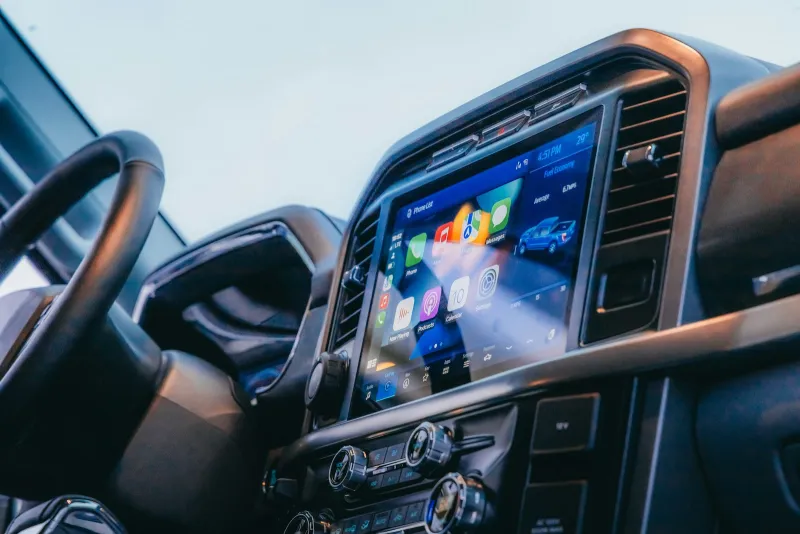

Custom-fit and universal Android head units with Apple CarPlay and Android Auto, plus reversing cameras and screens, sent from a UK warehouse with a two-year warranty.
Voucher Magpie team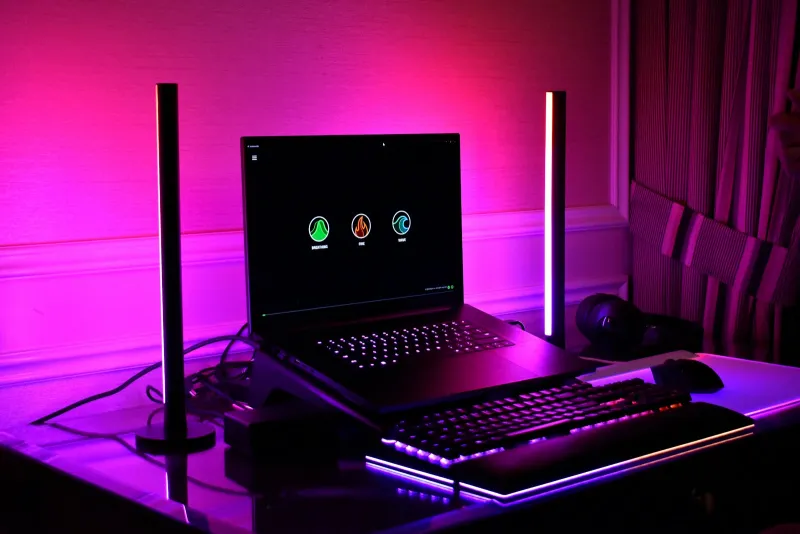

App-controlled lighting for TVs, bedrooms, gardens and Christmas, sold in pounds with quick Royal Mail delivery and 30-day returns.
Voucher Magpie team

Standard, Plus and Premium security plans for Windows, Mac, Android and iOS, with first-year prices from £14.99 and a 30-day money-back guarantee.
Voucher Magpie team